
The most useful Excel formula shortcut keys are Alt+= for AutoSum, F4 to lock a cell reference, F2 to edit a formula, Ctrl+` to show all formulas and F9 to test part of a formula. Learn these five first, then add the 20 keys below for copying, checking and naming.
Last updated: 14 November 2026. Checked against Microsoft Support’s list of Excel keyboard shortcuts. Compiled by Jitendra Rao, founder of Excel Keys, with 11+ years in MIS reporting and dashboard automation.
In this guide
- The 5 formula keys worth learning first
- A worked example with real numbers: commission and totals in 5 steps
- 25 formula shortcut keys for Windows and Mac in one place
- What to do when a shortcut does not work
- A free practice workbook with an answer key
The 5 formula shortcut keys to learn first
Most formula work in a report is the same few actions: add up a column, lock a rate, fix a typo, check a result. These five keys cover them.
| Key (Windows) | What it does | When you need it |
|---|---|---|
Alt+= | Writes the SUM formula for the neighbouring cells | Every total row and total column |
F4 | Cycles through $C$2, C$2, $C2 and C2 | A rate, target or tax cell used by many rows |
F2 | Edits the active cell with the cursor at the end | Fixing one part of a long formula |
Ctrl+` | Shows all formulas on the sheet, press again to go back | Checking a file someone else made |
F9 | Inside the formula bar, shows the value of the selected part | Finding which part of a formula is wrong |
Worked example: commission and totals in five steps
This uses the free practice workbook (download link below). The Practice sheet has 10 sales reps with dummy sales amounts. The commission rate, 5%, sits in cell C2. We want the total sales, the commission for each rep, the total commission and a bonus flag for sales of 50,000 or more.
- Total sales. Click E15, the empty cell under the Amount column, and press
Alt+=. Excel writes=SUM(E5:E14). Press Enter. Result: 429,850. - Commission for the first rep. In F5 type
=E5*, click cell C2, then pressF4once. The formula becomes=E5*$C$2. Press Enter. For Asha, 40,500 × 5% gives 2,025. - Fill down. Select F5:F14 and press
Ctrl+D. The last rep, Vikram, gets 26,100 × 5% = 1,305. - Total commission. Click F15 and press
Alt+=again. Result: 21,492.5. - Bonus flag. Select G5:G14, type
=IF(E5>=50000,"Bonus","-")and pressCtrl+Enter. Every selected cell gets the formula at once. Four reps (Meena, Imran, Neha and Sanjay) show Bonus.
Check one result by hand. Asha’s commission is 40,500 × 0.05 = 2,025, which matches the sheet. Do this check for every new report.
What goes wrong without F4
If you skip F4 and fill =E5*C2 down, each row moves the reference down by one. Row 6 becomes =E6*C3. C3 is empty, so the commission shows 0. Row 7 becomes =E7*C4. C4 holds the header text “Region”, so Excel returns #VALUE!. This is the most common formula mistake in beginner reports.
| Press F4 | Reference shown | What is locked |
|---|---|---|
| Once | $C$2 | Column and row |
| Twice | C$2 | Row only |
| Three times | $C2 | Column only |
| Four times | C2 | Nothing (back to normal) |
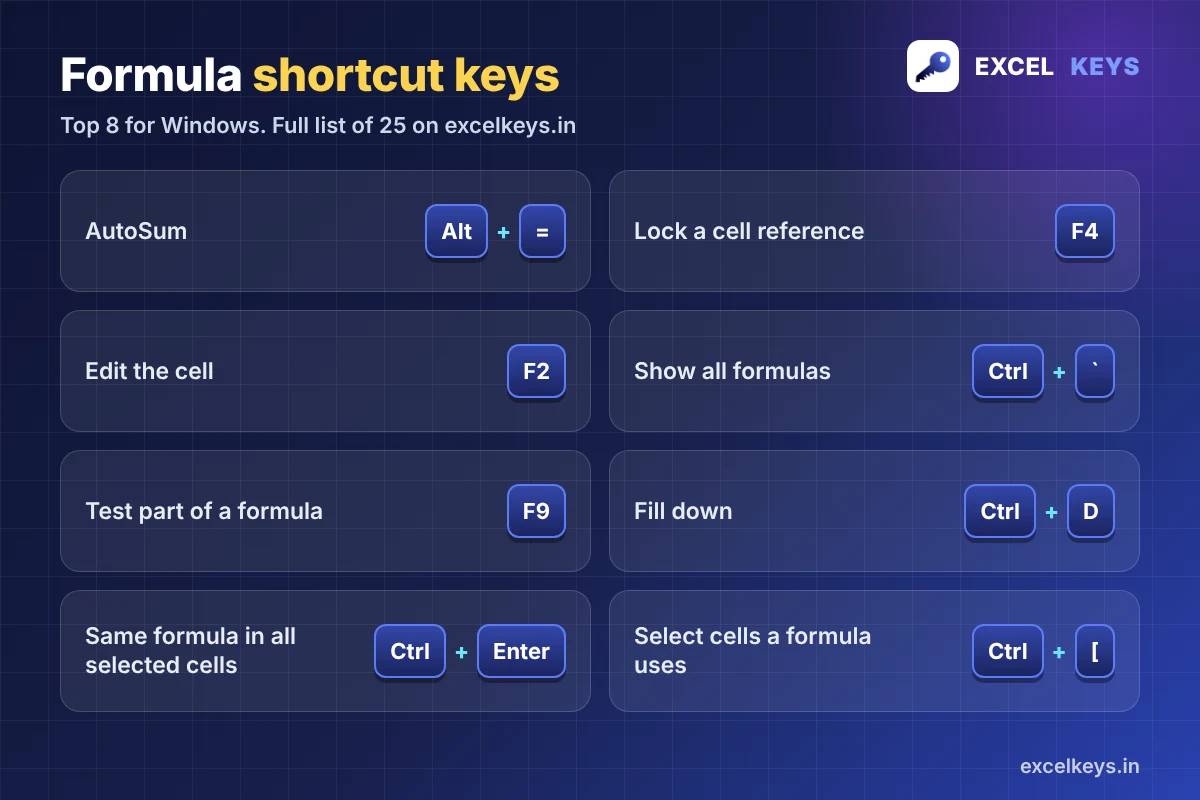
All 25 Excel formula shortcut keys
Mac keys are shown where Excel for Mac has a matching key. “n/a” means we have not listed a Mac key for that action. Shortcuts follow the US keyboard layout, so on other layouts a symbol key may sit somewhere else.
Write and edit formulas
| Windows | Mac | What it does |
|---|---|---|
= | = | Start a formula |
Alt+= | Cmd+Shift+T | AutoSum: inserts SUM for neighbouring cells |
F4 | Cmd+T | Change reference type: $A$1, A$1, $A1, A1 |
F2 | Control+U or F2 | Edit the active cell |
Tab | Tab | Accept the function name suggested by AutoComplete |
Shift+F3 | Shift+F3 | Open the Insert Function box |
Ctrl+A | Control+A | With the cursor right of a function name, open Function Arguments |
Ctrl+Shift+A | Control+Shift+A | Insert argument names for the typed function |
Ctrl+Shift+U | Control+Shift+U | Expand or collapse the formula bar |
Esc | Esc | Cancel the entry |
Copy and fill formulas
| Windows | Mac | What it does |
|---|---|---|
Ctrl+D | Cmd+D | Fill down from the top cell of the selection |
Ctrl+R | Cmd+R | Fill right from the leftmost cell |
Ctrl+Enter | Control+Return or Cmd+Return | Enter the same formula in all selected cells |
Ctrl+' | Control+' | Copy the formula from the cell above, exactly as it is |
Ctrl+Shift+" | Control+Shift+" | Copy the value from the cell above |
Check and debug formulas
| Windows | Mac | What it does |
|---|---|---|
Ctrl+` | Control+` | Show formulas instead of results, press again to go back |
F9 | F9 | In the formula bar: show the value of the selected part. Otherwise: calculate |
Shift+F9 | Shift+F9 | Calculate the active sheet only |
Ctrl+Alt+F9 | n/a | Calculate all open workbooks, even unchanged cells |
Ctrl+[ | n/a | Select the cells that the formula uses |
Ctrl+] | n/a | Select the formulas that use the active cell |
Names
| Windows | Mac | What it does |
|---|---|---|
F3 | n/a | Paste a defined name into a formula |
Ctrl+F3 | n/a | Open the Name Manager |
Ctrl+Shift+F3 | Cmd+Shift+F3 | Create names from the row and column labels |
Older Excel versions
| Windows | Mac | What it does |
|---|---|---|
Ctrl+Shift+Enter | Control+Shift+Return | Enter an array formula in Excel 2019 and earlier. Not needed in Excel 365. |
The full searchable list, with Windows and Mac side by side and a printable PDF, is on our Excel shortcut keys A to Z page.
How to test part of a formula with F9
Say a long formula returns the wrong number. Press F2, select one piece of the formula in the formula bar (for example E5*$C$2) and press F9. Excel replaces that piece with its value, so you can see if it is right. Then press Esc to bring the formula back. If you press Enter instead, the piece stays as a fixed number and the formula is broken.
Why a formula shortcut may not work
- Function keys need Fn. On many laptops F2, F4 and F9 also control sound or brightness. Hold Fn, or change the Fn lock setting.
- Edit mode changes the key. While you are typing a reference, F4 changes the reference type. Outside edit mode, F4 repeats your last action.
- Calculation is set to manual. If results do not update, press F9, or switch calculation to automatic in the Formulas tab.
- Another keyboard layout. Keys like ` and ‘ sit in different places on some layouts. Check where they are on yours.
A 5-day practice plan (10 minutes a day)
| Day | Keys to practise | Where |
|---|---|---|
| 1 | Alt+=, Ctrl+D | Practice sheet, drills 1 and 2 |
| 2 | F4, F2 | Drill 2, then fix a formula on purpose |
| 3 | Ctrl+`, F9 | Drills 3 and 4 |
| 4 | Ctrl+[, Ctrl+Enter | Drills 5 and 6 |
| 5 | All of them, without the hints | Compare with the Answers sheet |
Download the free practice workbook (XLSX). It has an Instructions sheet, a Practice sheet and an Answers sheet. All names and numbers are dummy data, and every total is a live formula.
Once the keys feel natural, put them to work on a real report. Our guides on building an MIS report in Excel and the daily sales report both use these keys in every step. More ready files are on the free Excel templates page.
How this list was checked
- Keys were compared with Microsoft Support’s Excel keyboard shortcuts on 14 November 2026. Where a key is not on that page, it comes from standard Excel shortcut references and is marked in the table.
- Every number in the worked example comes from the practice workbook, and the workbook was recalculated with no formula errors.
- Excel versions differ. If a key behaves differently on your version, email info@excelkeys.in with your Excel version and we will update this page.
Frequently asked questions
What is the shortcut for AutoSum in Excel?
On Windows press Alt+= with the cell under (or beside) your numbers selected. Excel writes the SUM formula for you. On a Mac the shortcut is Cmd+Shift+T.
How do I lock a cell reference with a keyboard shortcut?
Click inside the reference while you are typing the formula and press F4. Each press changes the reference: $C$2, then C$2, then $C2, then back to C2. On a Mac, use Cmd+T.
How do I show all formulas in Excel with a shortcut?
Press Ctrl+` (the key above Tab on a US keyboard). Excel shows the formulas instead of their results on the whole sheet. Press it again to go back. On a Mac, use Control+`.
What is the shortcut to edit a formula in a cell?
Select the cell and press F2. The cursor goes to the end of the formula and you can edit it. Press Enter to save the change or Esc to cancel it.
Do I still need Ctrl+Shift+Enter for formulas?
Only in Excel 2019 and earlier, where array formulas need it. Excel for Microsoft 365 and Excel 2021 or later handle array formulas with a normal Enter, so you can skip it.
Why is F4 or F9 not working on my laptop?
Many laptops use the function keys for volume and brightness. Hold Fn while you press the key, or switch the Fn lock in your keyboard settings. On a Mac, either hold Fn or turn on the standard function keys option in System Settings.
Keep going
Open the full Excel shortcut keys list for 200+ keys in one place.
If your team needs reports turned into a working dashboard, see the dashboards we have built.