Office Productivity
NEXUS Office Suite
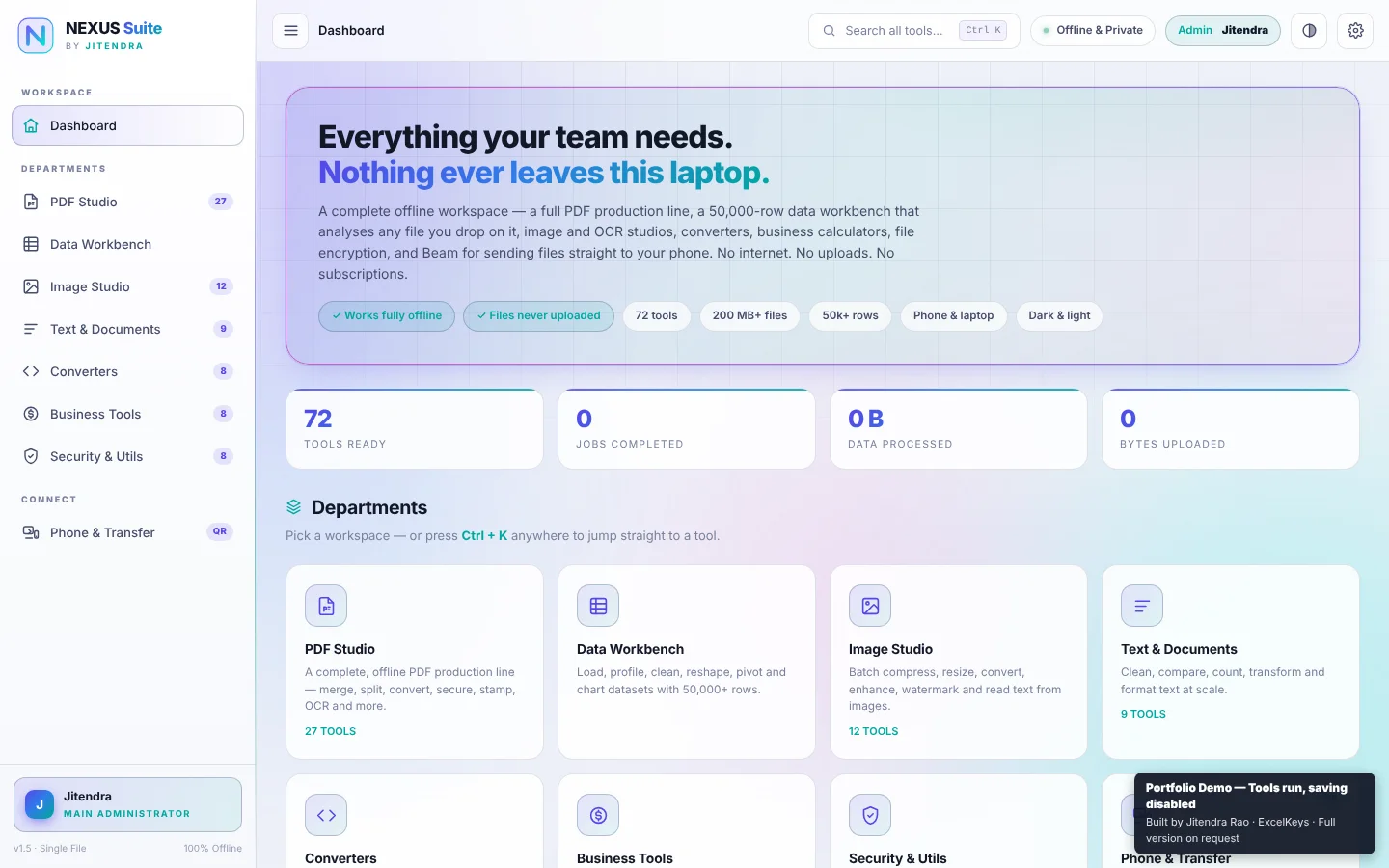
72 offline tools in one file: a PDF studio, a data workbench for 50,000+ rows, image tools, converters, business calculators and file encryption.
The everyday problem
Small office jobs, such as merging PDFs, compressing images or converting a file, usually end on ten different websites, each one asking you to upload a document you would rather keep private.
What we built
One workspace with 72 tools, organised by department and searchable from the keyboard. It is a single file: open it and start working, with nothing to install and no login.
What is inside
- PDF Studio: merge, split, compress, convert, secure, stamp and watermark, plus PDF to images and images to PDF.
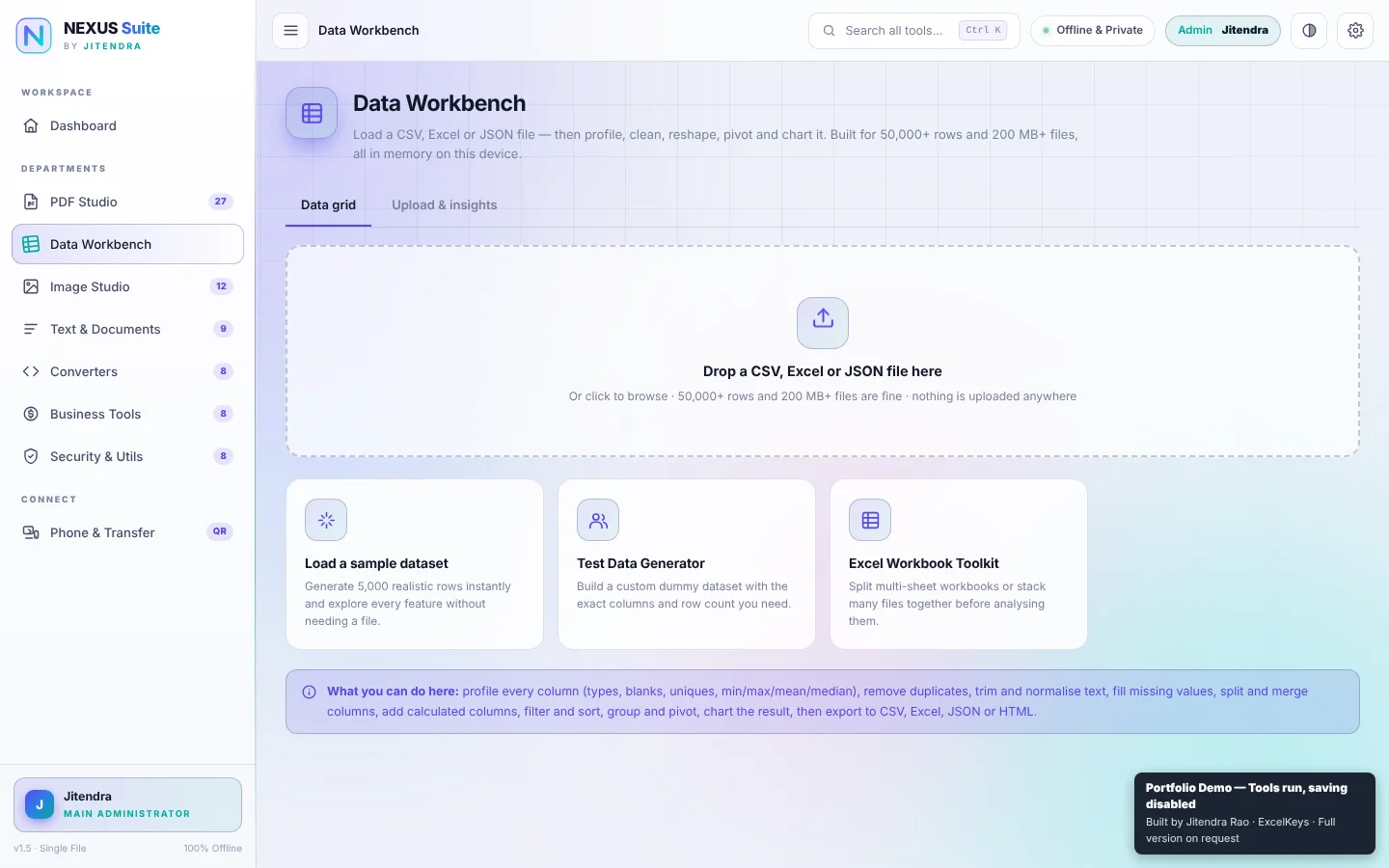
- Data Workbench: load CSV, Excel or JSON, then profile, clean, reshape, pivot and chart.
- Image Studio: batch compress, resize, convert, enhance and watermark.
- Converters and business tools: data format converters and calculators every department needs.
- Security: AES-256 file encryption, hashing, password and ID generators.
Private by design
Files are processed on your own device and are never uploaded. The screenshots show the public demo.
NEXUS Office Suite at a glance
- Built for
- Office teams that handle PDFs, images and data files every day
- Replaces
- Ten different upload websites for small office jobs
- Input
- Your PDF, image, CSV, Excel or JSON files
- Output
- 72 tools: PDF Studio, Data Workbench, Image Studio, converters, calculators and security tools
- Runs
- Offline in the browser, single file
Who it is for
- Office and admin staff who merge, split and compress PDFs
- Analysts who need to clean or reshape a data file quickly
- HR, finance and operations teams who use simple business calculators
- Anyone who should not upload confidential documents to free websites
What it measures
| Metric | What it tells you |
|---|---|
| PDF Studio | 27 tools to merge, split, compress, convert, secure, stamp and watermark |
| Data Workbench | Profile, clean, reshape, pivot and chart CSV, Excel or JSON with 50,000+ rows |
| Image Studio | 12 batch tools to compress, resize, convert, enhance and watermark |
| Converters | Between CSV, JSON, XML, Excel, SQL, Markdown and more |
| Business calculators | Everyday calculations for finance, HR and operations |
| Security | AES-256 file encryption, hashing, QR codes, password and ID generators |
How it works
- Open the fileOne workspace with nothing to install and no login.
- Find a toolTools are grouped by department and searchable with Ctrl + K.
- Work locallyFiles are processed on your own device and are never uploaded.
- Save the resultDownload the finished PDF, image or data file.
Questions it answers
- How do I merge or compress a PDF without uploading it?
- How do I convert a CSV to JSON or Excel?
- How do I resize a batch of images at once?
- How do I encrypt a confidential file?
- How do I clean and pivot a data file quickly?
Built around your team
The demo uses fictional sample data. For your team we rebuild it around your own file. Typical changes:
- A company edition with only the tools your team uses
- Your own business calculators and formats
- Branding for internal distribution
- Extra converters for the file types your systems export
Who built it
Designed and built by Jitendra Rao, founder of Excel Keys, who has more than 11 years of hands-on experience in MIS reporting, sales analytics and dashboard automation. Every screenshot and demo uses fictional sample data.
Last updated
Frequently asked questions
What is NEXUS Office Suite?
A single offline file with 72 office tools: a PDF studio, a data workbench, image tools, converters, business calculators and file encryption.
Are my files uploaded?
No. Files are processed on your own device and are never uploaded, which is why it suits confidential office documents.
How large a data file can the Data Workbench handle?
It is built to profile, clean, reshape, pivot and chart files with 50,000+ rows.
What do we need to run it?
A modern browser such as Chrome or Edge on a normal office laptop. There is nothing to install, no add-in to approve and no licence to buy.
Can I try it before I decide?
Yes. Use "Open the live demo" on this page to try it in your browser with fictional sample data. For a custom build, you also see a working demo on dummy data with your own column names before the final file.