HR & Talent Acquisition
HR Analytics Dashboard for Talent Acquisition
A hiring command centre: upload the recruitment tracker and get applications, hires, funnel conversion, time to hire and recruiter performance in one view.
The reporting problem
Hiring teams usually keep one large Excel tracker and rebuild the same weekly report from it by hand: filters, pivots, charts and a slide deck for the review meeting. It takes hours, and the numbers are already old by the time the deck is ready.
What we built
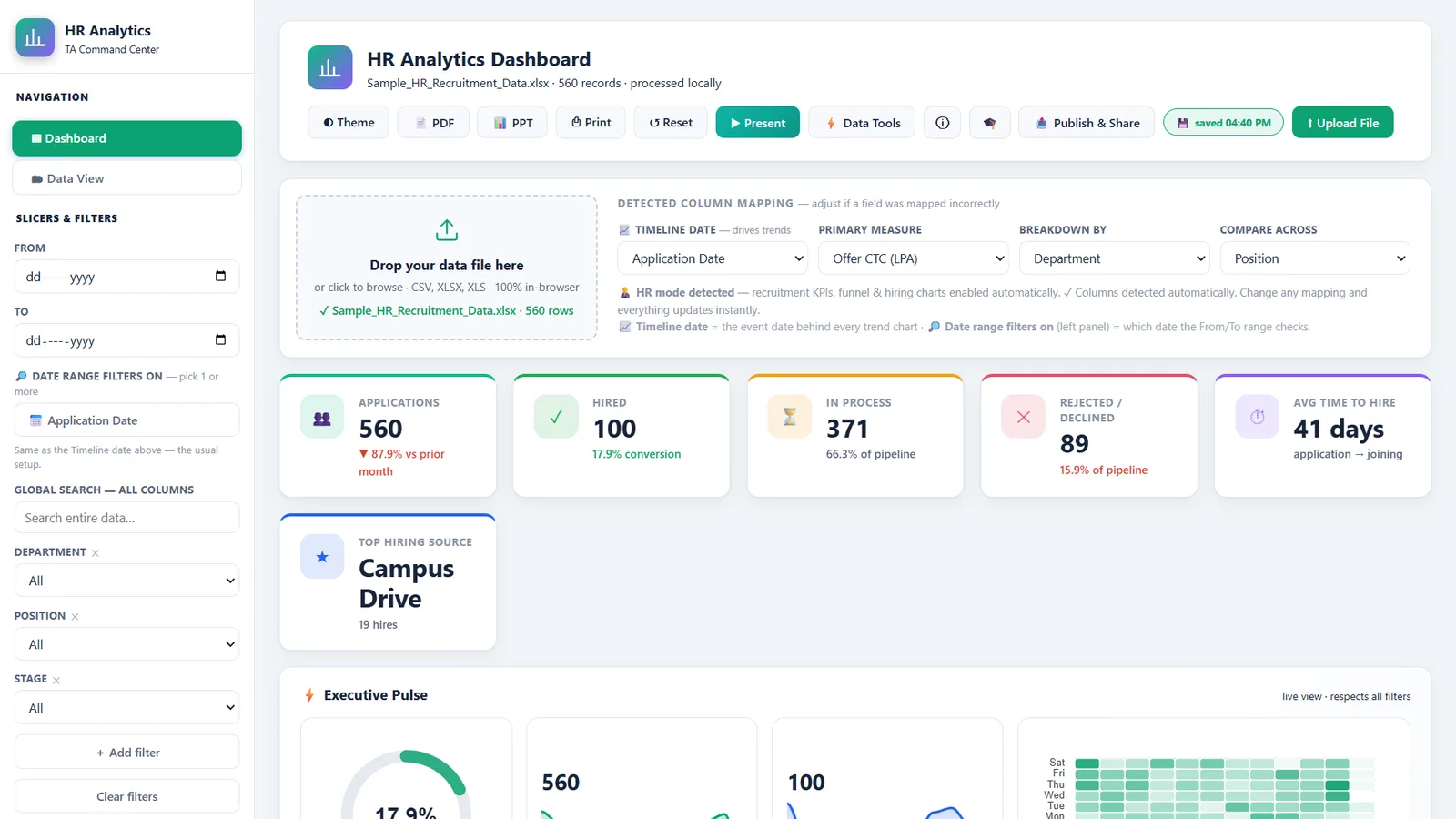
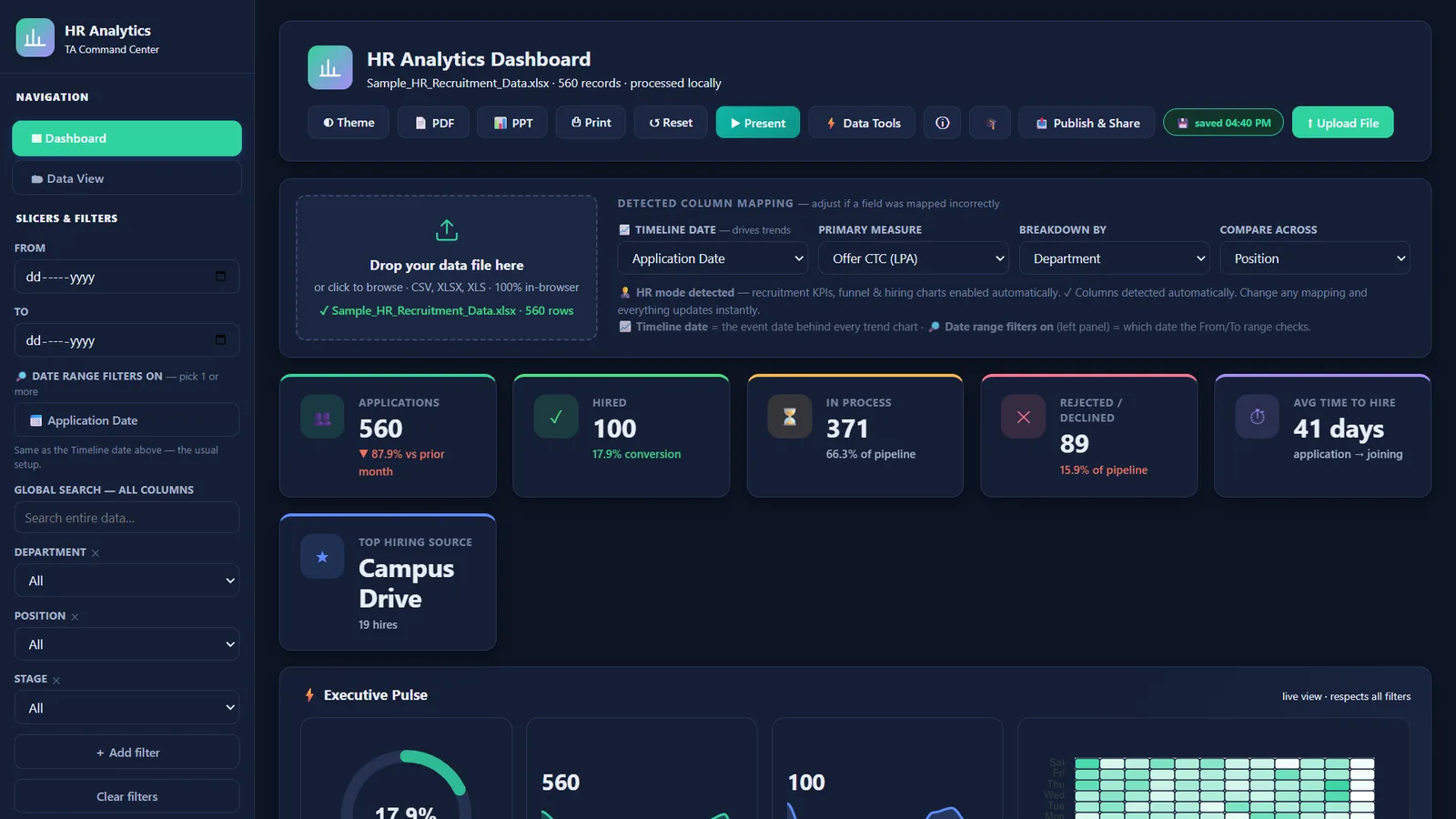
A single-file dashboard that reads the recruitment tracker directly. Drop the CSV or Excel file on the page and it detects the timeline date, the measure and the breakdown columns on its own, then draws the whole report in seconds.
What the team can do with it
- See applications, hires, candidates in process, rejections, average time to hire and the top hiring source at a glance.
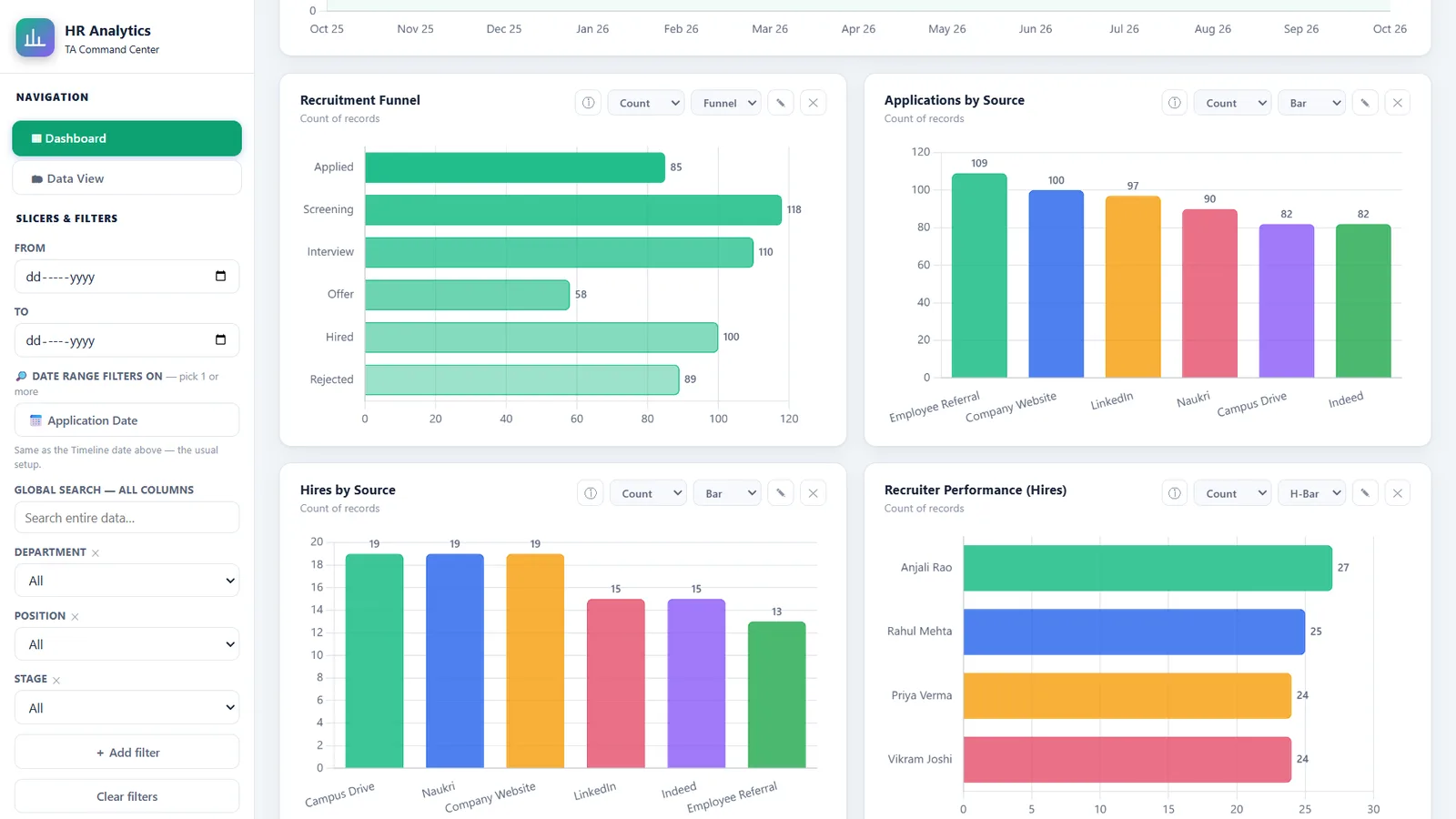
- Follow the funnel from Applied to Hired and spot the stage where candidates drop off.
- Compare sources and recruiters, then click any bar to filter every card and chart by it.
- Add their own charts and custom metrics as questions come up.
- Switch to Present mode for the review meeting, or export to PDF or PowerPoint.
Private by design
Candidate data is sensitive. The dashboard runs fully offline in the browser: no server, no cloud upload and no internet connection needed. Everything shown in these screenshots is fictional sample data.