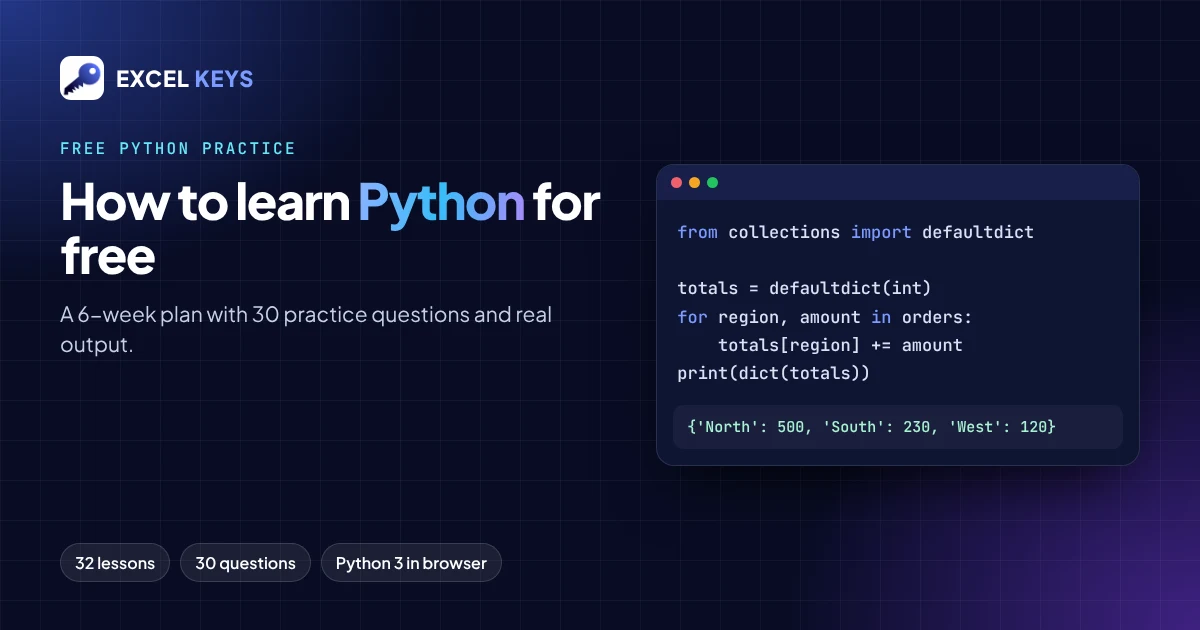
The best way to learn Python for free is to follow a fixed sequence of short lessons and write a small program after each one. Then check your output against a known answer. Excel Keys LearnLab gives you 32 free Python lessons and 30 practice questions with real output, all running in your browser. Nothing to install, and you don’t need an account.
In this guide
- What “learning Python” actually means for a beginner who works with data
- A 6-week plan that maps every lesson to practice questions
- A worked example with its exact output
- How to tell whether you are really learning
Start with the right goal
“Learn Python” is too big a goal. A better one: “in six weeks, I can write a short program that reads a list of numbers, groups them and prints a clear summary.” That one skill covers most of what people use Python for at work: cleaning data, adding up totals, checking targets and turning raw lists into reports.
Every practice question on Excel Keys uses this kind of work data: sales, targets, regions, employees and orders. You learn the language and a real use for it at the same time.
What you need to start
- A browser. The free Python course runs real Python 3 in your browser through Pyodide. The first run downloads the Python engine, so you need an internet connection.
- 30 to 45 minutes a day. Short daily sessions work better than one long weekend session.
- A notebook or text file. Write down every error message you meet and what fixed it. That list becomes your best revision sheet.
One limitation to know: the browser playground cannot use input() the way a desktop terminal does. The lessons and practice questions use fixed sample values instead, and you should do the same.
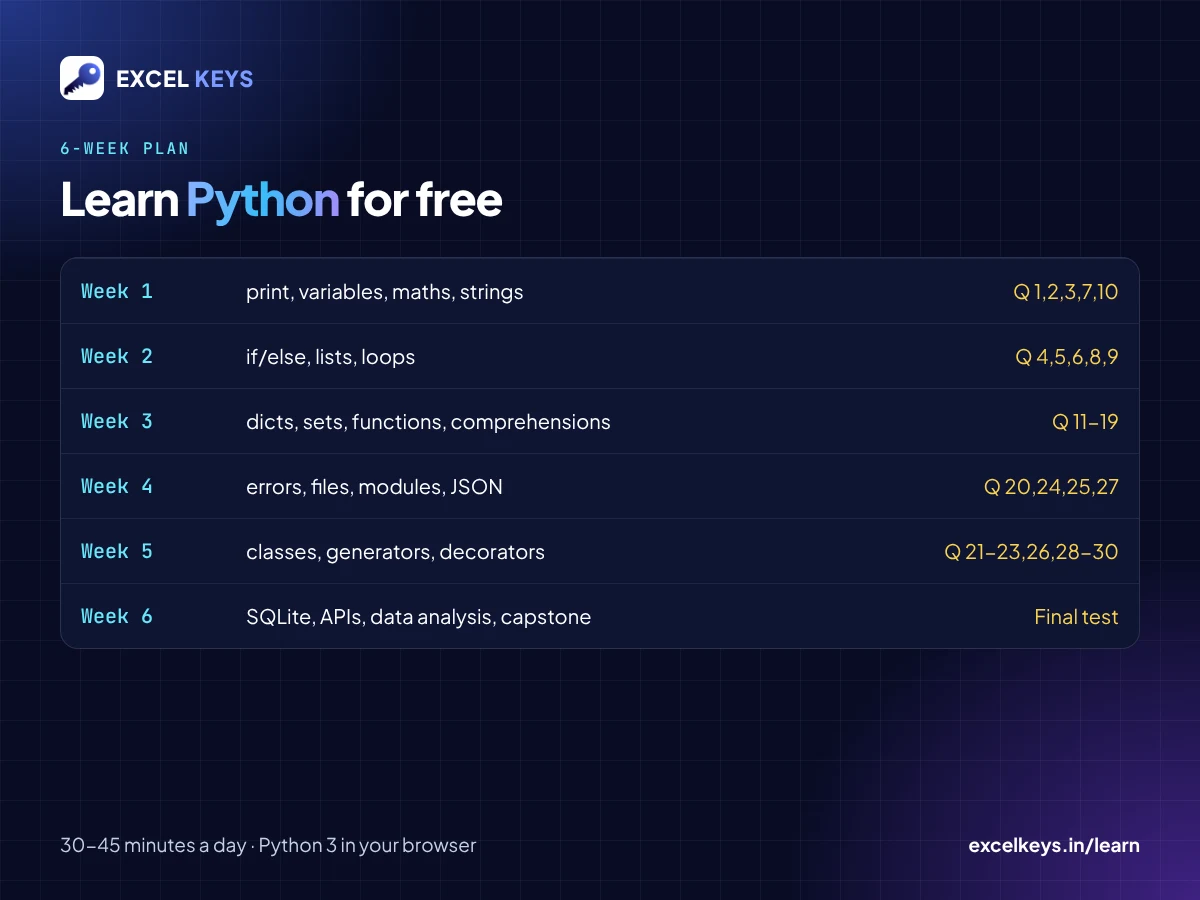
A 6-week plan to learn Python for free
| Week | Lessons | What you learn | Practice questions |
|---|---|---|---|
| 1 | 1 to 6 | print, variables, numbers, text, booleans, maths, strings, type conversion | 1, 2, 3, 7, 10 |
| 2 | 7 to 11 | if/elif/else, lists, for loops, while, break and continue | 4, 5, 6, 8, 9 |
| 3 | 12 to 16 | Dictionaries, tuples, sets, functions, default and keyword arguments, comprehensions | 11 to 19 |
| 4 | 17 to 20 | Error handling, files, modules, CSV and JSON | 20, 24, 25, 27 |
| 5 | 21 to 26 | Classes, inheritance, iterators, generators, decorators, tests, type hints | 21, 22, 23, 26, 28, 29, 30 |
| 6 | 27 to 32 | Async, SQLite, APIs, data analysis, shipping responsibly, the capstone project | Redo anything you got wrong, then take the final test |
The lessons add up to about three and a half hours of reading. The rest of your time goes into writing code. All 30 questions are on Python Practice Questions: 30 Exercises with Answers. Each one has a hint, the answer code, the exact output and a button that opens it in the playground.
Worked example: total sales by region
This is practice question 23. You have a list of orders, each with a region and an amount. You want one total per region, the same summary a PivotTable would give you.
from collections import defaultdict

orders = [("North", 200), ("South", 150), ("North", 300), ("West", 120), ("South", 80)]
totals = defaultdict(int)
for region, amount in orders:
    totals[region] += amount
print(dict(totals))
Output, run in Python 3.12 (the same engine as the browser playground):
{'North': 500, 'South': 230, 'West': 120}How it works:
defaultdict(int)starts every new key at 0. The first time “West” appears, you can add to it without checking whether it exists.for region, amount in ordersunpacks each pair into two variables. That is clearer thanorder[0]andorder[1].- The check: North is 200 + 300 = 500, South is 150 + 80 = 230 and West is 120. Always check one total by hand.
Change one amount in the list and predict the new output before you run it. That habit of predicting first is the fastest way to build real understanding.
Four habits that make free learning work
- Type, don’t paste. Typing the code yourself teaches you the syntax.
- Read errors from the bottom. The last line of a Python error names the problem, for example
NameErrororTypeError. The line above it shows where it happened. - Make one change at a time. If you change three things and it breaks, you don’t know which change broke it.
- Repeat the questions you got wrong after three days. If you can solve it again without the hint, you have learned it.
How to tell you are making progress
- You can solve beginner questions 1 to 10 without opening the hint.
- You can explain what each line of a 10-line program does.
- You can rewrite a for loop as a list comprehension and get the same output.
- You pass the final test at the end of the course. You can then download an Excel Keys completion certificate. It is a self-paced completion certificate, not an accredited qualification.
How these lessons were made and checked
We want you to know exactly what you are using:
- The LearnLab Python lessons and practice questions were developed with AI assistance.
- Every answer shown on the practice page was run in Python 3.12 through Pyodide, and the output shown is the exact output of that run.
- No independent expert review is claimed.
- For the complete language reference, use the official Python tutorial.
- If you find a mistake, email info@excelkeys.in with the question number.
Frequently asked questions
Can I really learn Python for free?
Yes. Excel Keys LearnLab has 32 free Python lessons, 30 practice questions with answers and a final test. There is no login and no fee, and Python itself is free and open source.
Do I need to install Python to start?
No. You can start in the browser playground, which runs real Python 3. When you later want to work with files on your own computer, install Python from python.org.
How long does it take to learn Python basics?
If you follow the 6-week plan above for 30 to 45 minutes a day, you will have practised variables, loops, functions, dictionaries and basic classes by the end. Your own pace may be faster or slower, and that is fine.
Is Python useful if I work in Excel?
Yes. Python can repeat the same cleaning, grouping and summary steps on any new file in seconds. You don’t have to rebuild formulas or PivotTables every time.
Should I learn Python or SQL first?
If your work is mostly asking questions of tables (totals, filters, joins), start with SQL: it is smaller and you see results faster. If you want to automate steps and handle files, start with Python. Both are free on Excel Keys LearnLab.
Start today
Open the 30 Python practice questions, or begin the free Python course at lesson 1. Also see how to practise SQL for free.
If your team needs data turned into a working dashboard, see the dashboards we have built.