
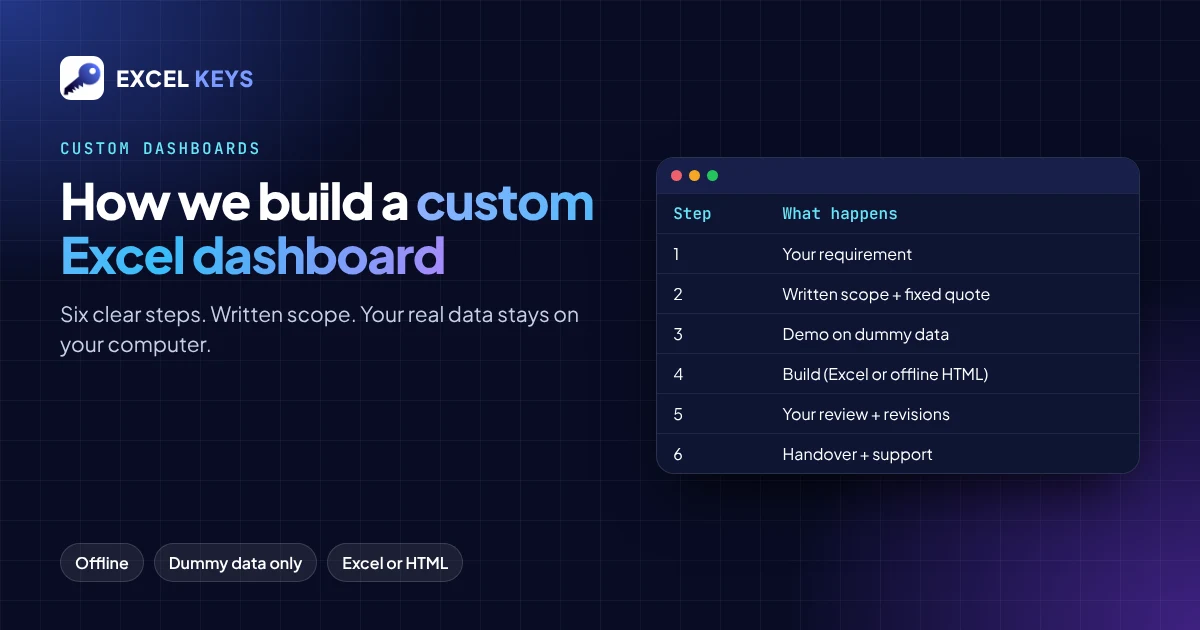
A custom Excel dashboard is built around your own report: your columns, your KPIs, your charts and the pivot cuts your management already reads. At Excel Keys we work in six steps: requirement, written scope and quote, a demo on dummy data, the build, your review, then handover with support. Your real data never has to leave your computer.
In this guide
- When a custom dashboard is worth it, and when it is not
- Our six-step process, including what you send and what you receive
- What decides the price and the delivery date
- How your data stays private
Who a custom dashboard is for
Most teams that ask us for a dashboard have the same routine. A raw Excel or CSV export arrives every day, week or month. Someone spends hours on pivots, formulas and charts, pastes the numbers into slides and sends them out. Next time, the same work starts again.
A custom dashboard ends that routine. You load the new file, and the KPIs, charts and pivot cuts refresh. It is a good fit when:
- The same report is prepared again and again from a similar file.
- Management asks for the same cuts every time: region, branch, product, month, manager.
- The data is confidential, so uploading it to an online tool is not allowed.
- The team works in Excel and does not want to learn a new BI platform.
It is not the right choice if you need live data from several databases, row-level permissions for hundreds of users, or scheduled refresh on a server. Those needs fit a BI platform better. We explain the difference in Excel dashboard or Power BI.
Our process in six steps
1. You share the requirement
You tell us what the report should answer. We send a short requirement format, in Word or as plain text, that asks for:
- The dashboard name and the area it covers: HR, sales, insurance, loans, finance or operations.
- The column names in your file and what each one means.
- The KPIs and how each one is calculated, for example
Approval % = Approved ÷ Total × 100. - The time periods you report on: FTD, MTD, last month, QTD, YTD.
- The filters, pivot cuts, charts and exports you need.
- Branding: company name, logo, colours, and a “Prepared by” line with your own name if you want one.
We recommend one Excel file that holds every column the dashboard needs. If your data really comes from separate reports, keep them as sheets in the same file, linked by a common column such as Loan Account No. or Employee ID.
2. We send a written scope and a fixed quote
Before any work starts, you receive a written scope with:
- The exact list of KPI cards, charts, pivot cuts, filters and exports.
- The price, the number of revision rounds and the delivery date.
What is written in the scope is what you get. Anything new later is quoted separately, so there are no surprise charges.
3. You see a demo on dummy data
Before the final file, we show you a working demo built on dummy data with your exact column names. You click the filters, check the KPIs and tell us what to change. You see what you are paying for before you receive it.
4. We build the dashboard
We build it as either:
- An Excel workbook with live formulas and clear input sheets.
- A single offline HTML file that opens in Chrome or Edge.
Both are built around how your file is laid out, so the new data goes in and the report comes out.
5. You review and we revise
You test the dashboard with your own real file on your own computer. You send all the changes in one list, and we make them within the revision rounds agreed in the scope.
6. Handover and support
You receive the final file, a short guide on how to load new data and export reports, and a support period for small fixes. If you want the monthly report maintained for you, monthly MIS support is available as a separate service.
What decides the price and the timeline
We quote a fixed price after reading the requirement. The main factors are:
| Factor | Why it matters |
|---|---|
| Number of KPI cards and charts | Each one needs its own logic, checks and formatting. |
| Pivot cuts and comparisons (MTD vs LMSD, YoY, target vs actual) | Period logic and drill-downs take the most testing. |
| Number of data sheets and how clean they are | Merged cells, mixed date formats and joins across reports add work. |
| Exports (PDF, PowerPoint, Excel) | Styled exports are built and tested separately. |
| Urgency | A shorter delivery date means the work has to be prioritised. |
The delivery date and the payment terms are written in the quote. Prices are quoted in Indian rupees (INR) for clients in India and in US dollars (USD) for international clients. Payment is arranged directly by email or message after you approve the quote. Nothing is paid on this website.
How your data stays private
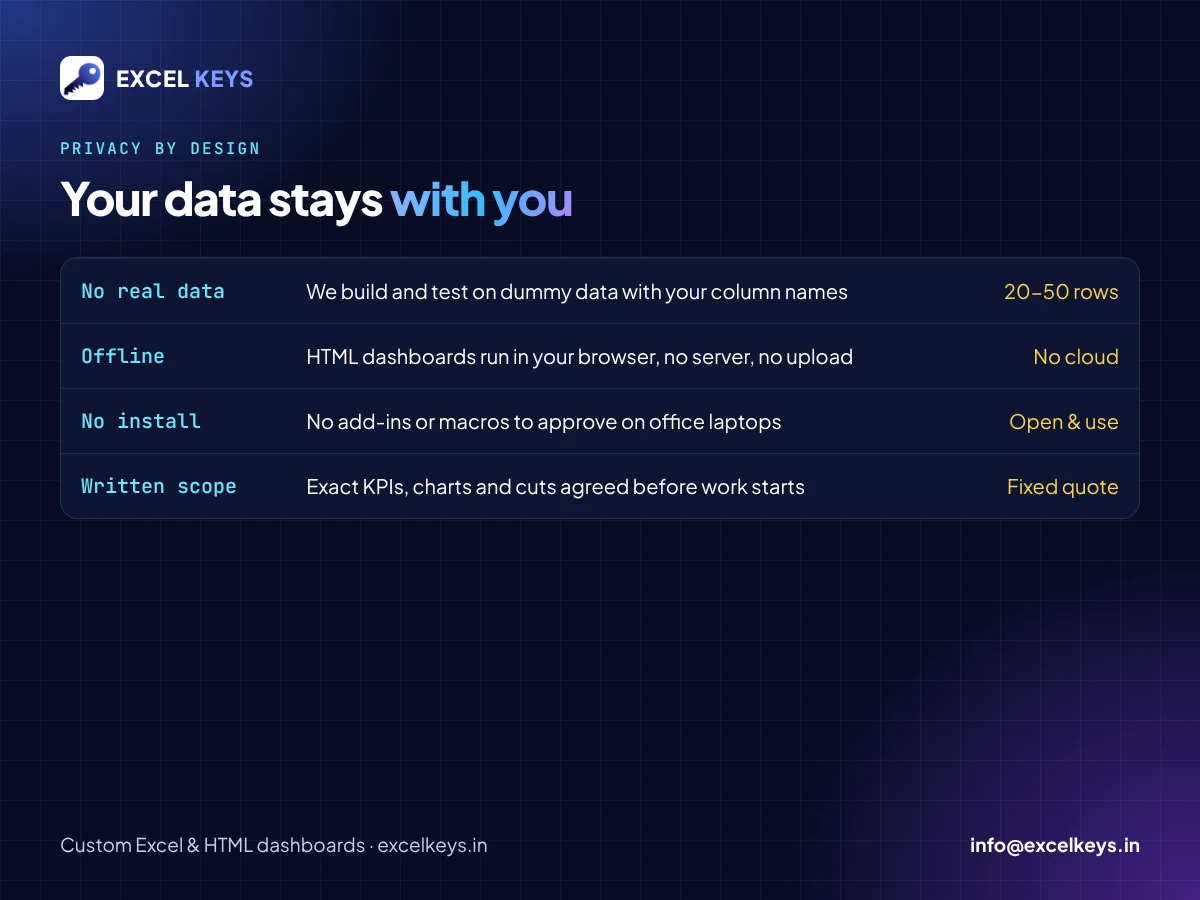
- We never ask for real data. To build and test, we only need dummy data with the same column names. 20 to 50 rows is enough.
- The dashboard runs offline. The HTML dashboards work inside your browser. There is no server and no cloud upload, and once the file is open no internet connection is needed. Your real file stays on your computer.
- Nothing to install. There are no add-ins or macros to approve, which matters on office laptops with restricted software.
For teams in banking, insurance and HR, where data is confidential, this is usually the deciding point.
See real examples before you decide
The fastest way to judge our work is to open it. Our work page shows the dashboards we have built, with fictional sample data. Most have a live demo you can open in your browser:
- HR Analytics Dashboard for talent acquisition teams
- Insurance MIS Dashboard with FTD, MTD, LMSD and pivot cuts
- RM Productivity Dashboard with a leaderboard
- Business Performance Dashboard
Who builds it
Excel Keys is led by its founder, Jitendra Rao, who has more than 11 years of hands-on experience in MIS reporting, sales analytics and dashboard automation, mostly in banking, insurance and NBFC teams. You work with him directly, from the first message to the handover.
Frequently asked questions
Do you need my company’s real data?
No. Send dummy data with the same column names, and 20 to 50 rows is enough. You run the finished dashboard on your real file yourself.
Excel or HTML: which should I choose?
Choose Excel if your team already works inside Excel and wants to edit formulas. Choose an offline HTML dashboard if you want a cleaner, app-like report that opens in any browser and exports to PDF or PowerPoint. We recommend one after reading your requirement, and you decide.
What happens if my file layout changes?
Tell us during the requirement step. HTML dashboards can include a column-mapping screen, so you can point each field to a renamed column. Larger changes later are quoted separately.
Do you work with clients outside India?
Yes. Everything is done online by email, Telegram, LinkedIn or a video call. Quotes are given in US dollars for international clients and in rupees for clients in India.
How do I start?
Send a short description of your report, ideally with a screenshot or a dummy sample. We reply with questions, a written scope and a quote.
Tell us about your report
Email info@excelkeys.in, message us on Telegram, or use the contact page. A short description and a dummy sample are all we need to start.